This is why your content is failing
🔥 Fix the cause behind falling clicks, while AI converts every thought into polished text.

Hey there 🧠
Ready for another day of staying ahead of the competition in the Growth race?
Oh and before we go ahead! If your friend sent this to you, be sure to subscribe here! So you don’t miss out on any editions.
In Partnership with Insense
Combining UGC with paid ads gave Maty's 12x more reach. Here's the mechanic.
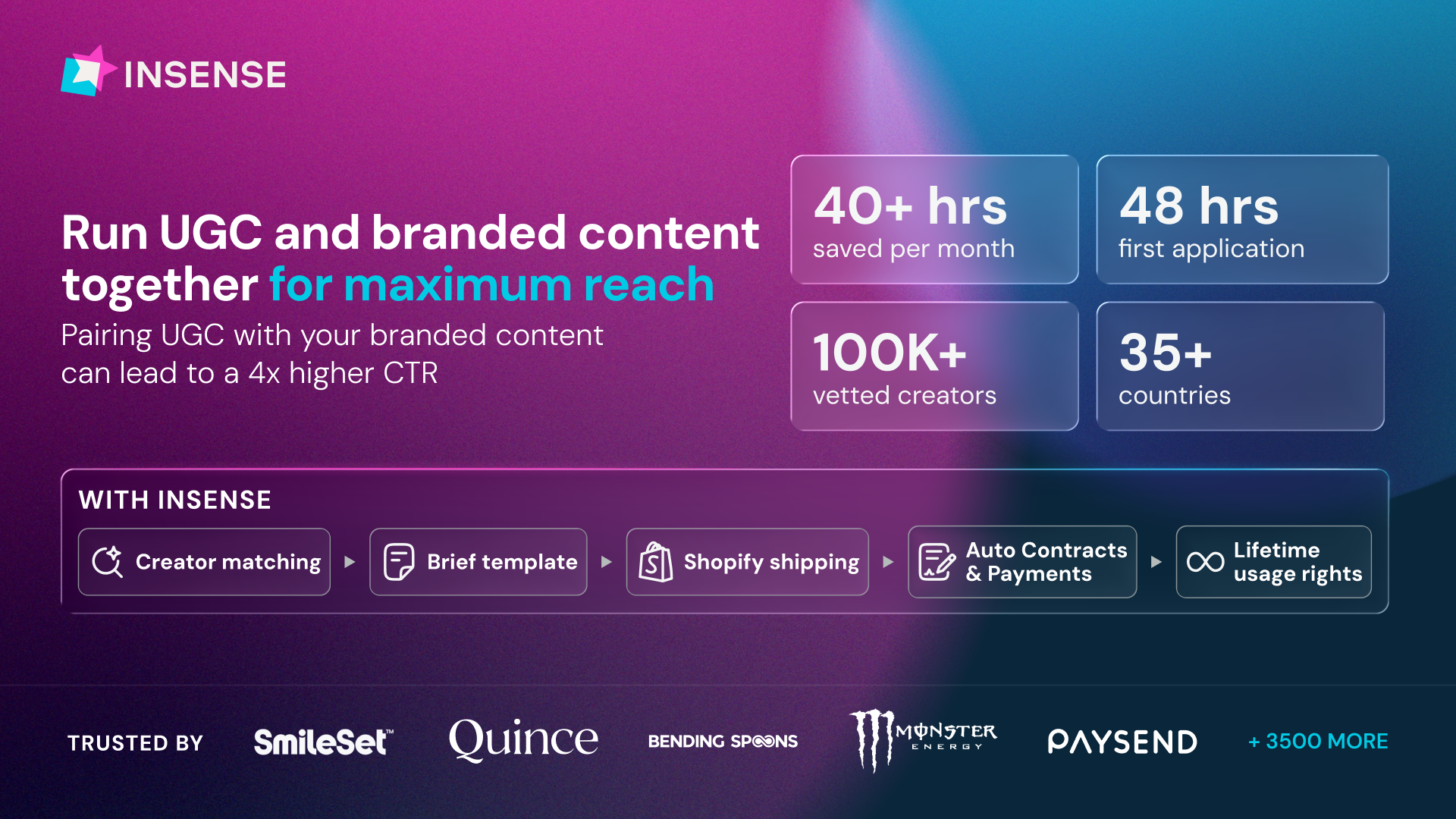
Most brands treat organic content and paid ad creative as two separate jobs, different briefs, different creators, twice the work for what's really one story.
Insense is built for both sides: source creators for organic content, and once a piece is already proving itself, repurpose it into paid ad creative through Partnership Ads or Spark Ads no new sourcing cycle, just activating what's already working.
Maty's used exactly this: creator content that ran organically and was repurposed into TikTok Spark Ads lifted reach 12x, with a 4x higher CTR than branded content alone.
Source from 100,000+ vetted creators, get content back with lifetime content usage rights, and go from brief to delivered assets in weeks.
Trusted by Strawberry.me, Bending Spoons, Wellhub, PetLabCo, and 3,500+ brands are using Insense to make organic and paid work together, not separately.
Book a strategy call by August 14th for $200 platform credits for your first campaign.
💡 Why Your Content Stops Performing
Your traffic drops, so you update the publish date, add a few paragraphs, and hit republish.
Sometimes it works.
Most of the time, it doesn't.
That's because content doesn't decline for just one reason. Before making changes, you need to identify what's actually causing the drop.
Here are the four types of content decay.
1️⃣ Ranking Decay: If clicks, impressions, and rankings all fall, competitors may have created better content, earned stronger backlinks, or outranked you with similar pages. Instead of adding more words, improve your page with original research, first-hand experience, or unique insights.
2️⃣ Zero-Click Searches: If rankings improve but clicks decline, Google may already be answering the query through AI Overviews or featured results. Refreshing the article won't solve this. Create something AI can't summarize, such as a calculator, interactive tool, or original opinion.
3️⃣ Search Intent Changed: Sometimes your rankings stay steady, but users expect a different format. Google may now favor videos, comparison tables, or product pages instead of long-form articles. Update the content format while keeping the same URL whenever possible.
4️⃣ Search Demand Declined: If impressions and clicks fall while rankings remain stable, interest in the topic has likely decreased. Confirm demand has truly dropped before deciding whether to consolidate, redirect, or remove the page.
5️⃣ Diagnose Before Updating: Review at least six months of Search Console data and compare year-over-year performance before making changes. Understanding the cause of the decline leads to far better decisions than refreshing content blindly.
Why It Works
Every type of content decay has a different cause, so every solution should be different too. When you diagnose the problem before making updates, you spend time improving pages that can recover instead of wasting effort on changes that won't move the needle.
👀 Brand Example
SEO expert Ashish Jacob recommends treating declining traffic like a diagnosis rather than a rewrite. Instead of applying the same refresh strategy to every page, he focuses on identifying the exact type of decay before deciding the best course of action.
The Takeaway
Not every traffic drop means your content needs a rewrite. Identify whether you're dealing with ranking loss, AI overviews, changing search intent, or declining demand first. The right diagnosis always leads to a smarter update.
💡 Turn Your Voice Into Text
Typing long messages on your phone can be slow, especially when you're switching between apps.
What if you could simply talk, and every sentence was automatically cleaned up, formatted, and ready to send?
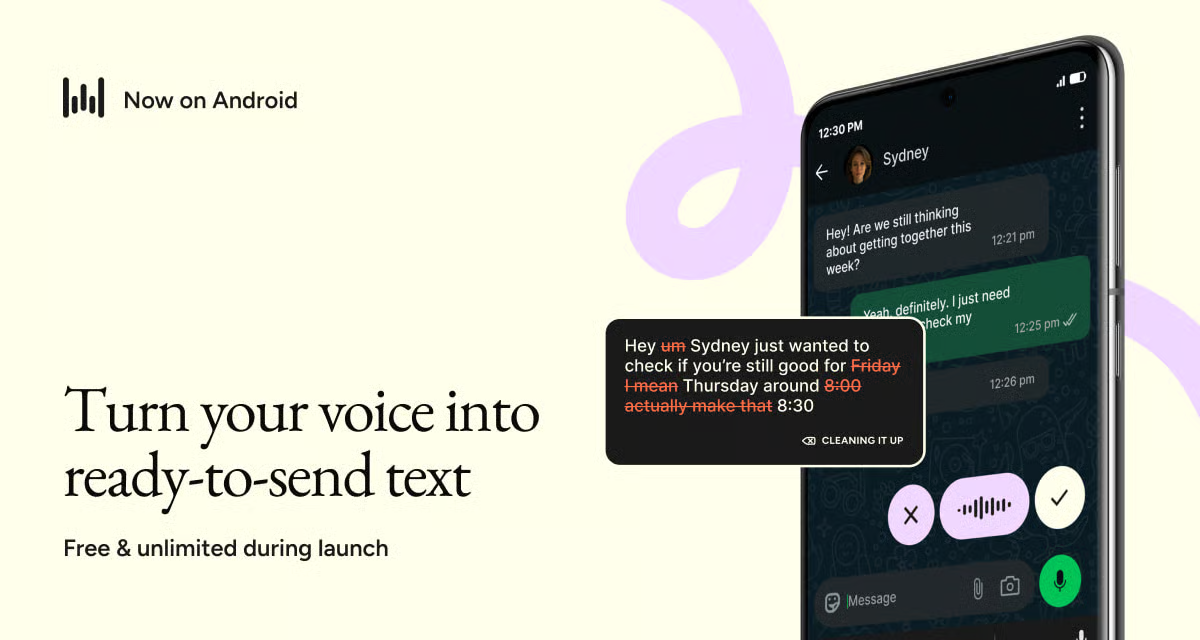
Here's how to use Wispr Flow on Android.
1️⃣ Install Wispr Flow: Download and install the app on your Android device. During launch, it's free with unlimited usage on Android.
2️⃣ Dictate Anywhere: Tap the floating bubble to start speaking. It works across apps like WhatsApp, Slack, Gmail, ChatGPT, and your browser.
3️⃣ Speak Naturally: Don't worry about pauses, filler words, or changing your thoughts halfway through. Talk exactly as you normally would.
4️⃣ Let AI Polish Everything: Wispr Flow removes filler words, corrects grammar, and formats your speech into clean, readable text automatically.
5️⃣ Use It For More: Reply to long messages, dictate detailed AI prompts, write emails, or even create code comments without touching your keyboard.
Why It Works
Most voice typing tools simply transcribe what you say. Wispr Flow goes further by editing, cleaning, and formatting your speech automatically, making it feel more like writing than dictation.
The Takeaway
If you spend hours typing on your phone, Wispr Flow can dramatically speed up your workflow. Just speak naturally, and let AI handle the editing.
As we prepare more "Growthful" content, we'd love to hear your thoughts on today's edition! Feel free to share this with someone who would appreciate it. 🥰