Why AI Performs Better Socially
📈 Learn what makes AI influencers feel more credible, then turn a trending performance into your own social video with motion transfer.

Hey there 🧠
Ready for another day of staying ahead of the competition in the Growth race?
Oh and before we go ahead! If your friend sent this to you, be sure to subscribe here! So you don’t miss out on any editions.
In Partnership with Insense
Your ad account doesn’t need UGC fast. It needs content every week.
Most brands stall between batches, when the last round of creative is spent and the next one isn’t ready.
Since Meta’s Andromeda update, the algorithm rewards new concepts and new faces. A batch of 16 videos exhausts in weeks, and then it’s another round of briefs, outreach, and chasing.
Insense turns creator content into a monthly flow:
- Brief once, then rehire the creators whose ads performed
- Get 20+ raw clips per creator to cut into new hooks and angles
- Build a roster of vetted creators you can book every month
- Keep lifetime usage rights on everything
Book a free strategy call by November 6th and get $200 toward your first campaign.
P.S. Q5 rewards brands that keep fresh creative coming after the Black Friday rush. Go in with a cadence, not a single shoot.
💡 AI Influencers Perform Better When Real People Join The Scene
AI influencers can look polished, consistent, and always camera-ready.
But research suggests they become more persuasive when they interact with actual people.
Here’s what the data shows.
1️⃣ Social Interaction Lifts Engagement: Researchers analyzed more than 9,500 AI influencer posts and found that only 15% showed the influencer interacting with someone else.
Posts with genuine social interaction earned 20.7% more engagement, averaging around 290 additional likes or comments.
2️⃣ Human Interaction Can Improve Purchase Intent: People were up to 17.5% more likely to choose a product promoted by an AI influencer when the post showed them actively engaging with a real person.
3️⃣ Simply Standing Together Isn’t Enough: The effect disappeared when a human merely appeared beside the AI influencer or when the interaction involved another AI character.
The activity needs to feel genuinely social.
4️⃣ Less Human-Looking Influencers Benefit More: The effect was even stronger for obviously artificial characters, such as anime-style influencers.
Human interaction appears to make them feel more relatable and credible.
5️⃣ Transparency Still Matters: Humanizing an AI influencer doesn’t mean pretending it is real.
Brands should clearly disclose synthetic or AI-generated characters where required while using real-world interactions to make the content feel more grounded.
Why It Works
People know AI influencers cannot genuinely experience products.
Showing them participating in familiar human activities can reduce that authenticity gap and make the endorsement feel more relatable.
The Takeaway
Don’t leave AI influencers alone.
Give them meaningful interactions with real people, while keeping the AI identity transparent.
💡 Recreate The Viral Subway Running Trend With Higgsfield AI
Viral formats move fast.
Higgsfield AI can help recreate the Subway Running Trend by transferring the original movement and pacing onto your own reference images.
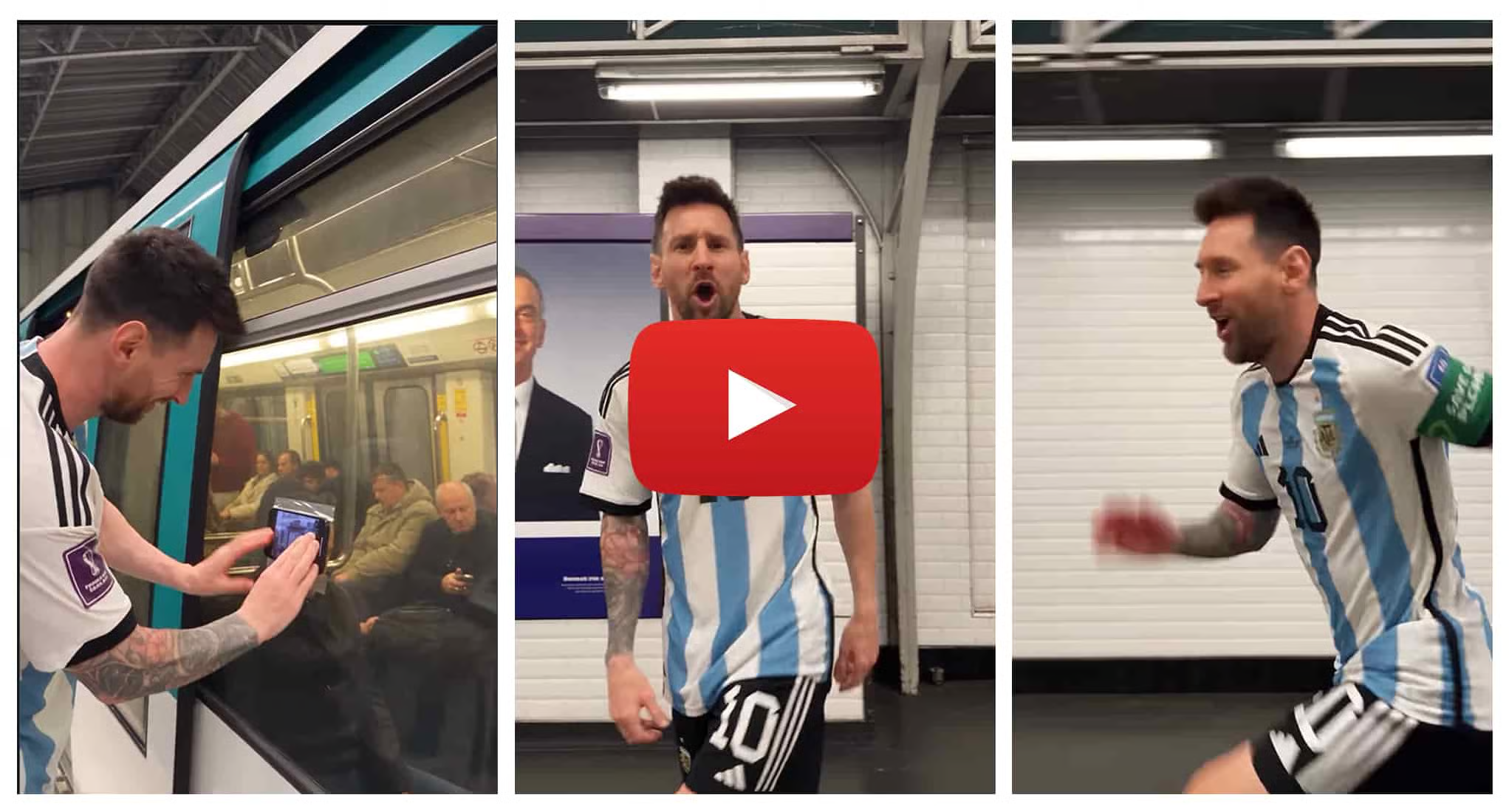
Here’s how to do it.
1️⃣ Start With Motion Transfer: Open Higgsfield, go to Video > Create Video > Higgsfield Genjutsu, and select Motion Transfer.
This lets you use an existing performance as the movement reference.
2️⃣ Find The Trend Clip: Search the Motion Library’s Community Trending section for the subway performance.
If it isn’t available, upload a reference clip of the trend manually.
3️⃣ Add Clear Reference Photos: Upload two to five photos of yourself from similar angles.
Clear, consistent references give the model a better chance of preserving your face, hair, outfit, and body proportions throughout the video.
4️⃣ Describe What Must Stay Consistent: Ask Higgsfield to preserve the phone-mounted camera movement, train motion, pacing, performance, city reveal, and shot timing.
Also request realistic lighting, facial movement, and physical consistency across the entire sequence.
5️⃣ Generate For Social: Set the output to 9:16 and 1080p before generating.
Once the video is ready, add the trend’s audio directly inside Instagram or TikTok when publishing.
Why It Works
Motion Transfer separates the performance from the person.
That allows creators to reuse a recognizable viral format while replacing the original subject with their own visual identity.
The Takeaway
Don’t rebuild viral choreography from scratch.
Use the original motion as the template, keep your reference images consistent, and focus on matching the pacing and camera movement that made the trend recognizable.
As we prepare more "Growthful" content, we'd love to hear your thoughts on today's edition! Feel free to share this with someone who would appreciate it. 🥰