Turn AI Into A System
🎯 While you build structured workflows behind the scenes, AI helps you present them faster and clearer.

Hey there 🧠
Ready for another day of staying ahead of the competition in the Growth race?
Oh and before we go ahead! If your friend sent this to you, be sure to subscribe here! So you don’t miss out on any editions.
Partnership with Modash
The creators you're betting on might be the wrong ones.
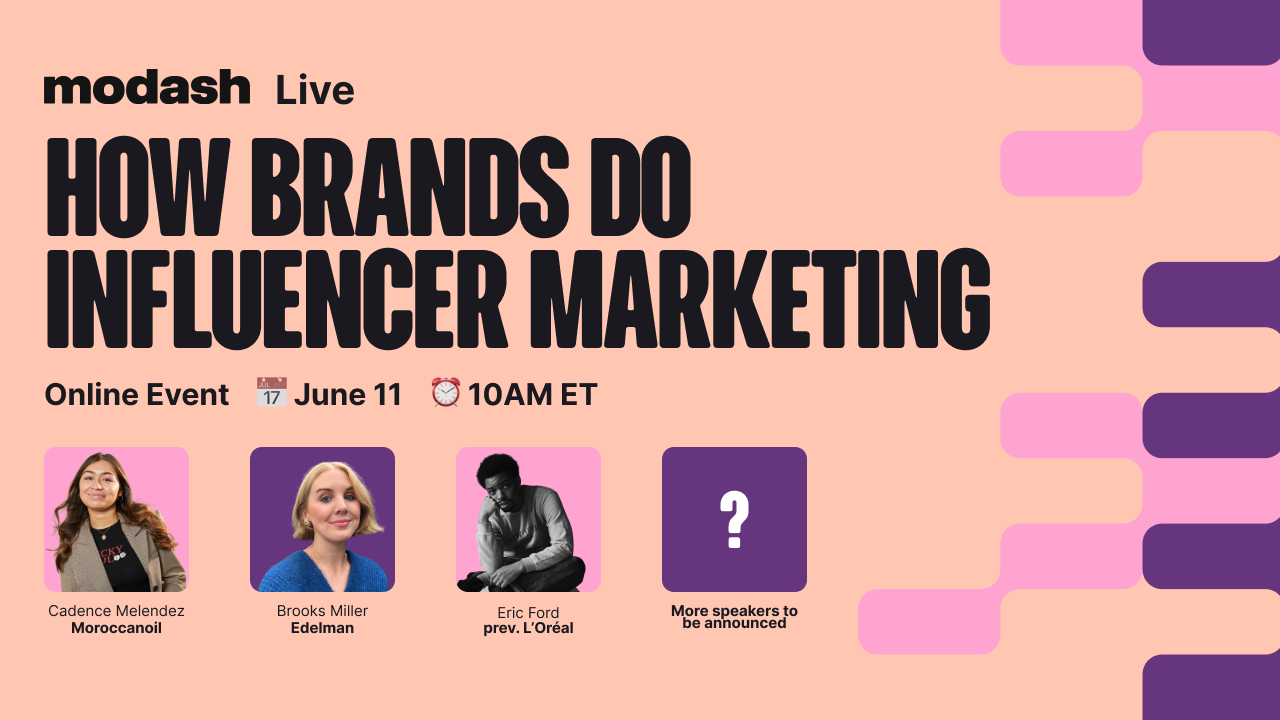
Most influencer programs don't fail on execution. They fail on selection. The roster looked right, the content went out, and the numbers still didn't move.
On June 11th, Modash is hosting a free 3-hour session with the brand-side teams behind some of the most closely watched creator programs in the industry.
→ Why the creators who look perfect for your brand are often the worst fit for your launch → 3 rules Edelman uses to predict whether a creator will move perception or just move impressions → Why your highest-reach creators are often your lowest-trust ones, and what L'Oréal's team does instead
Cadence Melendez, Influencer Marketing at Moroccanoil, Brooks Miller, EVP of Creator Marketing at Edelman, and Eric Ford, formerly Global Communications at L'Oréal, are all on stage.
You’ll walk away knowing exactly which creators on your current roster don't belong there, and how to fix that before your next launch costs you.
Can't make it live? Register anyway, and they'll send you the replay.
💡 Why Most People Use Claude Cowork Wrong
Many people treat Claude Cowork like a better chat tool. But that completely misses the point. It is not designed for thinking or drafting alone. It is built to execute workflows directly inside your system.
Here’s how to actually use it.
1️⃣ Understand The Core Difference:
Claude Chat helps you generate ideas and text, but everything stays separate from your workflow. Cowork works inside your files, organizing, creating, and saving outputs automatically.
2️⃣ Build A Clear Folder System First:
Before using it, structure your workspace. Create folders for context, templates, and projects. This gives Claude a clear environment to operate within.
3️⃣ Set Simple Global Instructions:
Add a few guiding rules like scanning context before starting. Keep instructions minimal so the system stays flexible and adaptive.
4️⃣ Create Foundational Brand Files:
Use Cowork to build your brand context, voice guide, and customer profile. Once created, it remembers this, so you do not repeat instructions every time.
5️⃣ Use Projects For Repeatable Workflows:
Anything you do regularly like content creation, reports, or campaigns should be set as a project. This turns repeated effort into a system.
6️⃣ Connect Tools For Live Data:
Integrate sources like email, analytics, or competitor data. This allows Cowork to pull real-time information and generate more relevant outputs.
7️⃣ Automate Recurring Tasks:
Schedule workflows like weekly reports or content briefs. Cowork can run them automatically without manual triggers.
8️⃣ Build A Centralized Control System:
With saved workflows, connected tools, and structured files, you create a self-updating system that runs your marketing operations.
The Takeaway
Claude Cowork is not a chat tool. It is an execution system. The more structured your setup, the more powerful it becomes. Instead of doing tasks manually, you build workflows that run themselves.
💡 How To Create Presentation Ready Slides With AI Instantly
Creating presentations usually takes time. Structuring ideas, writing content, and thinking through visuals. But tools like Grok now compress that entire workflow into minutes. Instead of building slides manually, you define the outcome and let AI handle the structure.
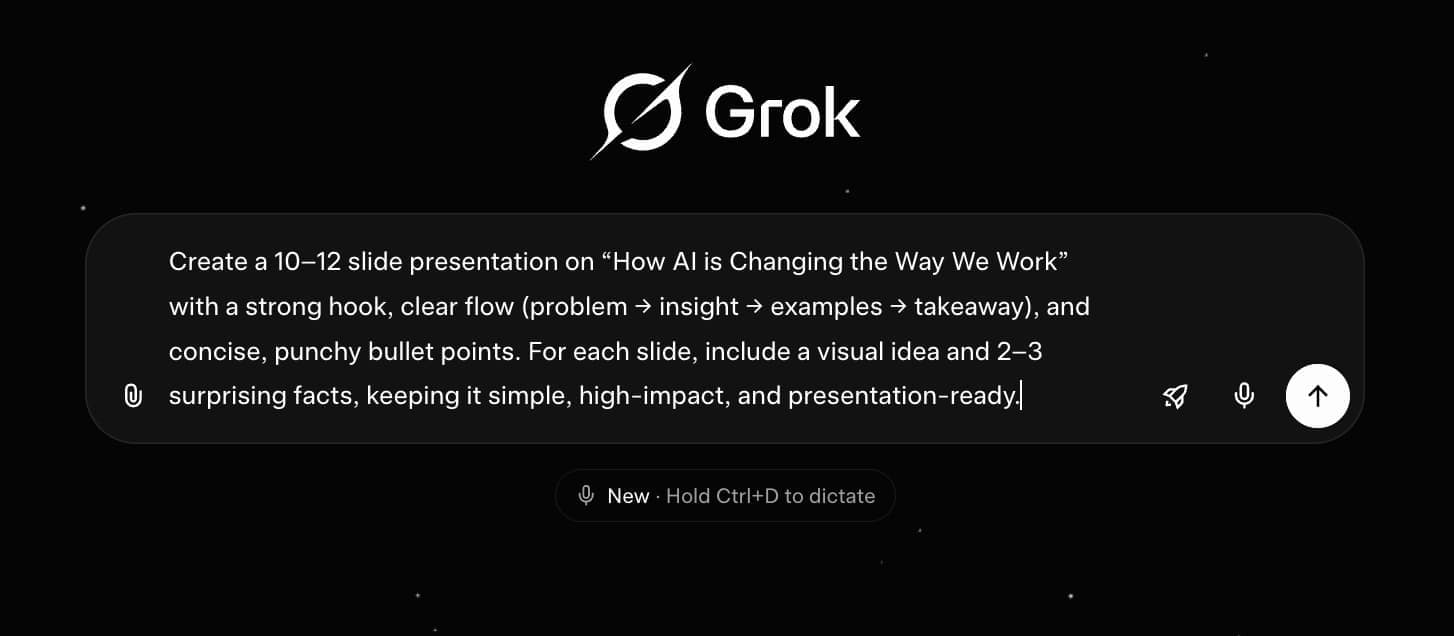
Here’s how to use it effectively.
1️⃣ Start With The Right Model: Use Grok 4.3 to access its latest capabilities for structured and high-quality outputs. The model choice directly impacts the quality of your slides.
2️⃣ Define A Clear Objective: Describe your topic and what the presentation should achieve. A strong prompt leads to a stronger narrative flow.
3️⃣ Specify The Structure Explicitly: Guide the AI with a flow like problem, insight, examples, and takeaway. This ensures your presentation tells a clear story instead of feeling random.
4️⃣ Ask For Slide Level Detail: Request bullet points, visual ideas, and key facts for each slide. This turns raw output into presentation-ready content.
5️⃣ Focus On Simplicity And Impact: Short, punchy points perform better than dense text. AI helps condense ideas into clear and engaging slides.
6️⃣ Use AI For First Drafts, Not Final Output: Refine the slides to match your tone and audience. AI gives structure, but clarity comes from editing.
7️⃣ Export And Iterate Quickly: Download the presentation and make quick improvements instead of building everything from scratch.
The Takeaway
AI does not just speed up slide creation. It changes the process entirely. Instead of spending hours building presentations, you focus on direction and refinement while AI handles execution.
As we prepare more "Growthful" content, we'd love to hear your thoughts on today's edition! Feel free to share this with someone who would appreciate it. 🥰