The Small Price Trap
🧠 The peanuts effect decoded, and how to create extensions using Claude Opus.

Hey there 🧠
Ready for another day of staying ahead of the competition in the Growth race?
Oh and before we go ahead! If your friend sent this to you, be sure to subscribe here! So you don’t miss out on any editions.
Partnership with Cloudways
Scaling Spend Doesn’t Fix This

You increase the budget, expecting efficiency to improve. Instead, conversion rate softens and paid traffic becomes harder to defend. Sometimes the problem isn’t the ads. It’s how the site performs once real traffic hits it.
Cloud Bootcamp on March 10-11 is a live, free event built around examining sites under production conditions.
You’ll watch real sites analyzed on screen and see where performance starts slipping, from script weight and media load to caching gaps and Core Web Vitals friction.
- A live teardown fixing a slow site in real time
- What actually breaks when page builders, plugins, and scripts stack over time
- 8 live sessions. 20+ expert speakers. 1500+ attendees already registered
If you’re increasing spend without testing how your site behaves under load, you’re making budget decisions without full visibility.
💡 How To Use The Peanuts Effect To Increase Conversions
Customers do not evaluate every purchase logically. When the price feels small, the brain relaxes its risk assessment.
This is known as the Peanuts Effect. When stakes feel trivial, people become more risk-seeking and more impulsive. A $50 decision invites scrutiny. A $5 add-on slides through unnoticed.
Here is how to apply the Peanuts Effect in your pricing strategy.
1️⃣ Introduce Low Commitment Entry Offers: Instead of leading with your premium product, offer a low-cost starter kit or sample. The price should be small enough to feel insignificant, but not free. Even a small payment increases perceived value while lowering resistance.
2️⃣ Add Low-Cost Order Bumps At Checkout: Once customers commit to a main purchase, suggest a small complementary add-on. Compared to the larger item already in the cart, the additional cost feels negligible and increases average order value without friction.
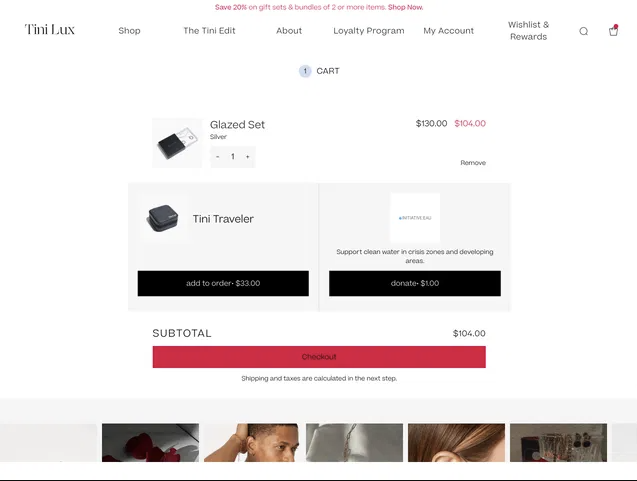
3️⃣ Break Big Prices Into Micro Units: Annual or premium pricing can feel intimidating. Reframe the cost into a daily or weekly equivalent. “Less than one dollar a day” reduces psychological resistance and makes the commitment feel manageable.
4️⃣ Use Small Numbers To Reduce Calculation: When a price falls below a certain mental threshold, customers stop analyzing and start deciding emotionally. Structure pricing so it feels trivial within the context of the purchase.
5️⃣ Anchor Against Larger Decisions: Position small add-ons next to higher priced core products. The contrast makes the smaller option feel even less significant and easier to justify.
The Takeaway
Small numbers reduce friction. When prices feel inconsequential, customers shift from calculation to impulse. By structuring offers, add-ons, and price framing strategically, you can increase conversions without lowering perceived value
💡 How To Create Chrome Extensions Using Claude Opus 4.6
Building a Chrome extension used to require deep technical setup.Now you can describe what you want in plain English and let Claude generate the full project structure.
With the right prompt, Claude Opus 4.6 can write the code, organize the files, and prepare everything for installation.
Here is how to turn your idea into a working extension.
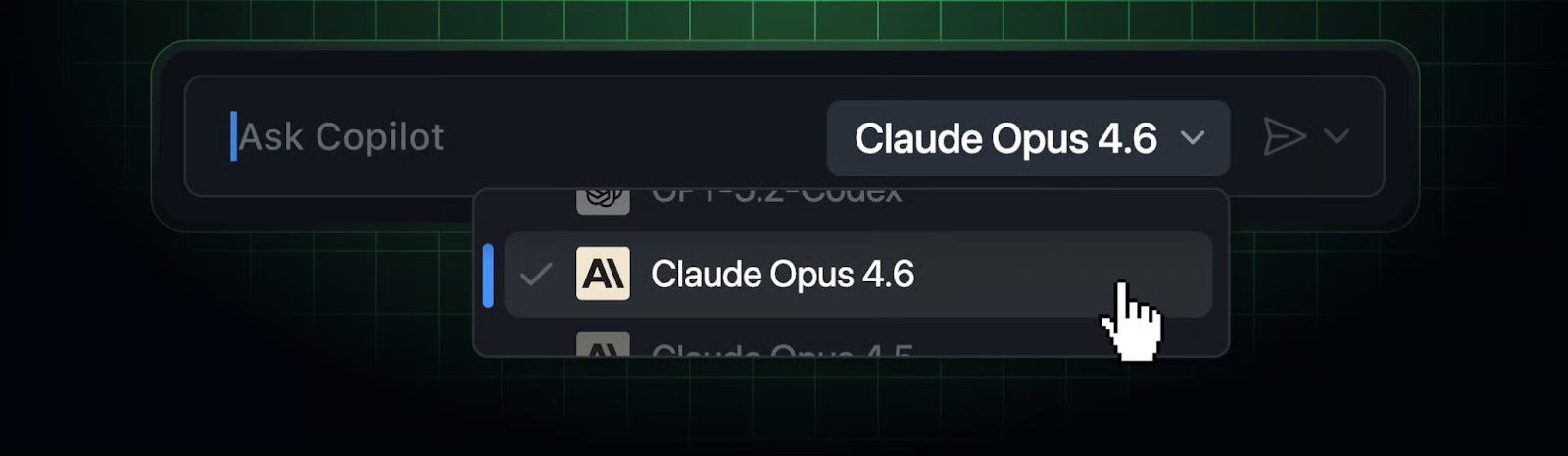
1️⃣ Generate The Full Extension Code: Log in to Claude and select Opus 4.6 as your model. Describe exactly how your Chrome extension should work, including features, user interactions, and use cases. Be specific about functionality and interface expectations.
2️⃣ Request Proper File Structure:In your prompt, ask Claude to generate the complete codebase and organize all required files into a structured folder. Make sure it includes essential files like manifest.json, background scripts, content scripts, and popup UI files.
Sample Prompt: Develop a Chrome extension that blocks distracting websites during work hours and replaces them with a productivity dashboard. Include customizable settings and a clean popup interface. Generate the complete codebase, organize all files into the correct folder structure including manifest.json, and create a downloadable folder named “FocusGuard.”
3️⃣ Download The Generated Files: Once Claude provides the output, download the generated project folder or ZIP file to your computer.
4️⃣ Load The Extension Into Chrome: Open Chrome and go to the Extensions Manager. Enable “Developer Mode” in the top right corner. Click “Load Unpacked” and select the extracted project folder.
5️⃣ Activate And Test Your Extension: After loading, your extension will appear in Chrome. Activate it and test the functionality directly inside your browser. Iterate on the prompt if adjustments are needed.
The Takeaway
You no longer need to manually scaffold browser projects from scratch. By clearly describing your extension’s logic and requesting structured output, you can go from idea to installed Chrome extension in minutes. Claude handles the heavy lifting.
As we prepare more "Growthful" content, we'd love to hear your thoughts on today's edition! Feel free to share this with someone who would appreciate it. 🥰