One Word Doubles Upsells
📈 One psychology trick boosts customer satisfaction, while one AI routine eliminates morning chaos.

Hey there 🧠
Ready for another day of staying ahead of the competition in the Growth race?
Oh and before we go ahead! If your friend sent this to you, be sure to subscribe here! So you don’t miss out on any editions.
In Partnership with Stack Influence
The ad channel where the creative buys your product first

Most UGC is actors holding products they were shipped for free. The audience can tell.
Stack Influence runs it differently: vetted micro-influencers purchase your product on Amazon, use it, then create the content.
The result is creative with receipts - and a side effect most channels cannot offer: those real purchases drive sales velocity that lifts your organic Amazon rank while the content earns external traffic.
You get full-rights image and video UGC to repurpose across paid social, paying per creator instead of per impression.
One brand activated 187 creators: BSR up 11X, recurring sales up 8X, $342K YoY. Another went from zero to $150K a year plus an Amazon's Choice badge on 291 collaborations. Magic Spoon, Unilever, and Thrasio all run this engine.
Sign up in the next two weeks and take 10% off your first campaign.
💡 Why Names Increase Sales
Insights from sciencesays
A customer's favorite word is often their own name.
When used naturally, it makes people feel valued, builds trust, and increases their willingness to spend.
But use it too often, or at the wrong moment, and the effect disappears.
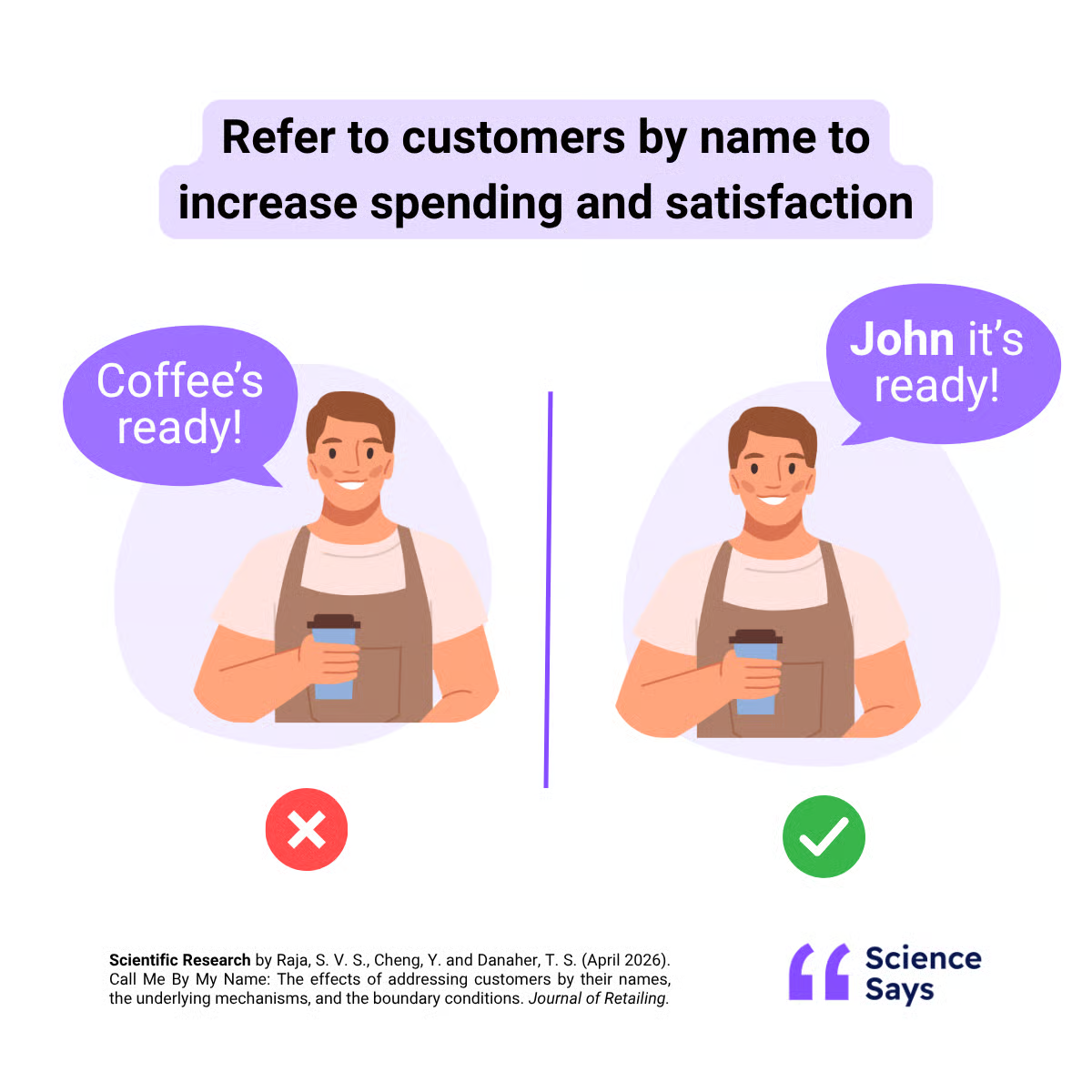
Here is what the research found.
1️⃣ People Spend More: Customers who were addressed by name spent 17.3% more on average, with spending increasing from $28.67 to $33.64. A simple personal touch encouraged higher spending.
2️⃣ Upsells Work Better: Customers accepted upsell offers more than twice as often when their name was used naturally during the conversation. However, saying their name immediately before the offer made the recommendation feel less genuine.
3️⃣ Satisfaction Improves: Using a customer's name increased satisfaction by 15.9%. People appreciate interactions that feel personal instead of transactional.
4️⃣ Keep It Natural: The effect becomes stronger when employees introduce themselves before asking for the customer's name. Avoid repeating the name throughout the conversation because it can quickly sound scripted.
5️⃣ Respect The Situation: Avoid using customer names in private or sensitive settings, such as pharmacies or medical clinics. Also, match the level of formality to the environment and the customer's preference.
Why It Works
Hearing our own name makes us feel recognized and respected. That creates trust, strengthens rapport, and makes us more receptive to recommendations. But if it feels forced or overly strategic, the psychological benefit quickly disappears.
👀 Brand Example
Qatar Airways often addresses premium passengers by name to create a more personal experience. The research suggests they could make this even more effective by introducing themselves first, adapting how they address different passengers, and adding thoughtful touches based on each traveler's journey.

The Takeaway
Using a customer's name is one of the simplest ways to personalize an interaction. Use it naturally, avoid overdoing it, and focus on building genuine rapport. Done well, it can increase spending, improve satisfaction, and make customers more open to recommendations.
💡 How To Create A Daily Work Brief With ChatGPT
Starting your workday by checking emails, Slack, your calendar, and project notes separately wastes time.
Instead, let ChatGPT combine everything into one clear morning brief.
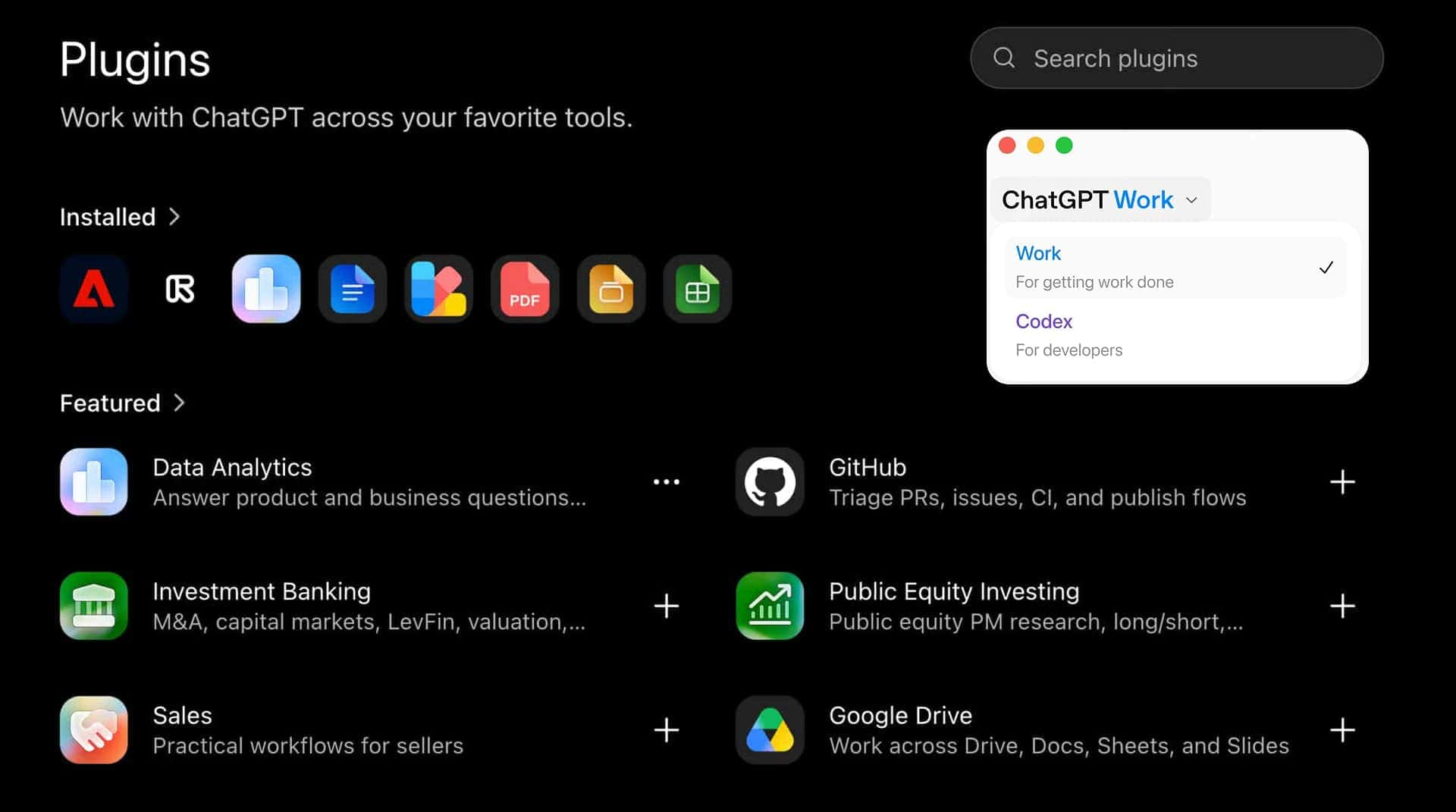
Here is how to do it.
1️⃣ Open ChatGPT Work: Go to ChatGPT and switch to the Work tab.
2️⃣ Connect Your Apps: Click Plugins → Connect Plugins → Browse All Plugins and install Google Calendar, Gmail, Slack, and Google Drive.
3️⃣ Generate Your Brief: Use this prompt:
Build my daily work brief using @Google Calendar, @Gmail, @Slack, and @Google Drive. Review today's meetings, unread messages, follow-ups, and project notes. Summarize my top priorities, meeting prep, replies needed, decisions, important FYIs, and missing context. Do not send messages, edit files, or create tasks.
4️⃣ Review The Results: Read the summary and tell ChatGPT what was helpful, what was missing, and what you don't need. This helps it produce better briefs over time.
5️⃣ Keep Working From There: Ask ChatGPT to draft replies, prepare you for meetings, or research key topics using the same context, without switching between apps.
6️⃣ Automate Every Morning: Once you're happy with the workflow, schedule this recurring prompt:
Prepare my daily work brief every weekday at [time]. Check the same sources and only highlight new or changed priorities, meetings, replies, decisions, and blockers. Do not send messages, edit files, or create tasks.
💡 Quick Tip: Pin the recurring task for one-click access every morning.
The Takeaway
A single AI-generated work brief can replace dozens of morning app checks. By bringing your meetings, messages, emails, and notes together, ChatGPT helps you start each day focused on what matters most.
As we prepare more "Growthful" content, we'd love to hear your thoughts on today's edition! Feel free to share this with someone who would appreciate it. 🥰