Google bidding can betray you
⚠️ When smart bidding works against you, plus how to use AI voice everywhere

Hey there 🧠
Ready for another day of staying ahead of the competition in the Growth race?
Oh and before we go ahead! If your friend sent this to you, be sure to subscribe here! So you don’t miss out on any editions.
Partnership with Insense
Get fully-licensed UGC footage from brand-matched influencers
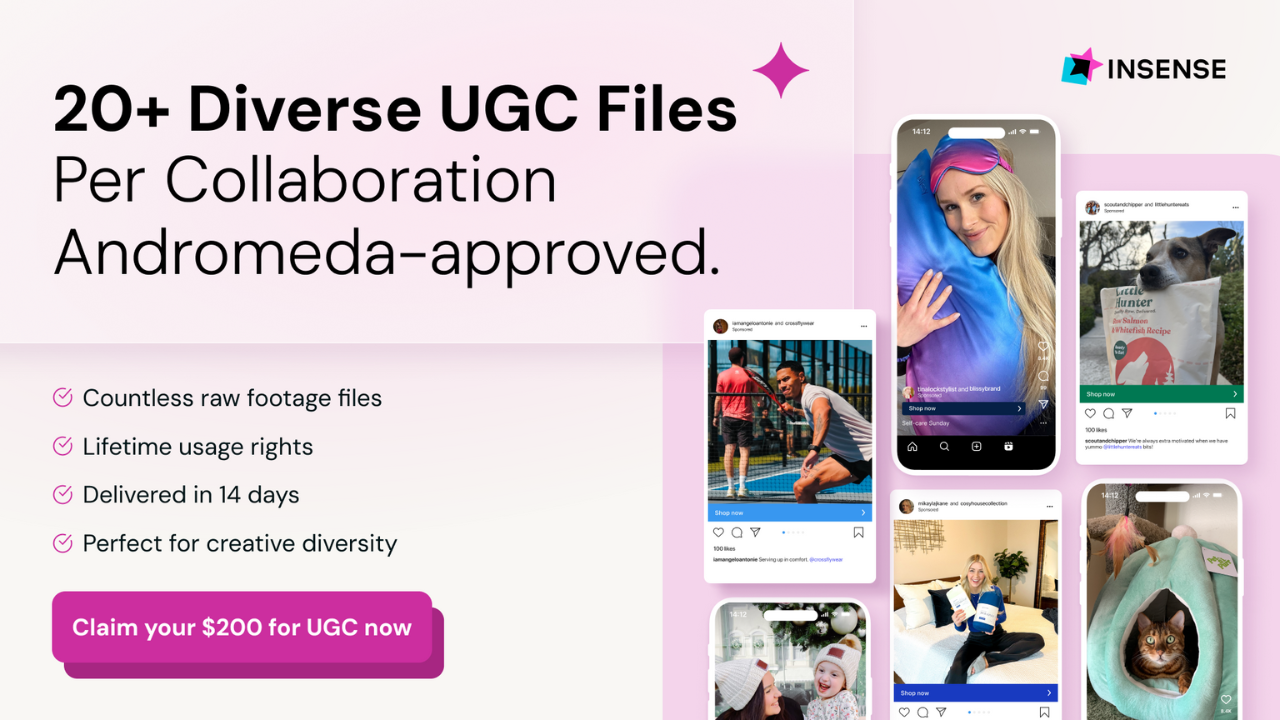
The secret to high-performing UGC ads? Influencer-brand alignment.
The problem? Manually sifting through thousands of creators to find the perfect match is a time-consuming nightmare.
You need Insense’s carefully vetted marketplace of 75,000+ UGC creators and micro-influencers from 35+ countries across the USA, Canada, EMEA, and Latin America.
Dermatologists for your skincare brand? They’ve got it!
Watch collectors? LGBTQ+ creators? They’ve got it!
Leading eComm brands, including DRMTLGY, Smileset, and Bones Coffee, use Insense to find their perfect creators from across the globe and run end-to-end campaigns from UGC to seeding, TikTok Shop, Meta Partnership Ads, and TikTok Spark Ads.
- Quip - received an 85% influencer activation rate for seeding (32/37 influencers posted)
- Any Age Activewear - quickly matched with mature female creators aged 50+, which boosted AOV by 20%
Try Insense yourself.
Book a discovery call by Jan 16 and get a $200 bonus for your first campaign.
💡 When Google AI Bidding Works Against You
AI-powered bidding sounds like the perfect upgrade. Set a goal. Feed the system data. Let the algorithm optimize while you focus elsewhere.
The problem is not that AI bidding is bad. It is that it is obedient. And it obeys Google’s definition of success, not yours.
1️⃣ AI Optimises For Value, Not Profit: Google’s Maximize Conversion Value strategy does exactly what it promises. It maximizes total conversion value. What it does not understand is margin. A $100 sale with a 60% margin and a $100 sale with a 15% margin look identical to the algorithm. Unless you explicitly feed profit data, the system will chase revenue even if profitability collapses.
2️⃣ Performance Can Decay Over Time: Many campaigns start strong, then quietly slide. Early on, the algorithm captures obvious high-intent traffic. Once those wins are exhausted, it expands outward to keep spending and hitting targets. That expansion often means lower quality traffic, weaker intent, and declining efficiency masked by stable spend.
3️⃣ AI Is Blind To Real World Context: AI bidding relies on historical patterns. It does not understand what is about to happen. Seasonality shifts. Competitor promotions. Stock issues. Product launches. None of these exist in the model until performance drops. If you launched in October, the AI does not know December is your peak. If a competitor discounts aggressively, the AI reacts only after damage is done.
4️⃣ Blind Trust Is The Real Risk: The biggest mistake advertisers make is assuming AI will catch everything. It will not. Out-of-stock products keep getting bids. Low-margin items keep getting pushed. Brand terms get crowded out. Someone has to see what the system cannot.
5️⃣ Use A Hybrid Control Model: A safer approach is balance. Allocate most budget to AI-driven strategies, but keep a meaningful portion in manual or Enhanced CPC campaigns. This gives you benchmarks. It protects high-value brand terms. And it gives you a lever to pull when AI performance drifts.
The Takeaway
In modern advertising, your job is not to tweak bids. It is to manage the system that tweaks them. Segment by margin. Watch efficiency trends. Override the machine when you know something it does not. AI is powerful, but only when it is supervised by someone who understands the business, not just the math.
💡 How To Dictate Anywhere On Your Computer With AI
Typing is not the bottleneck anymore. Switching context is.
Emails. Docs. Notion. Slack. Every time you move your hands from thought to keyboard, friction sneaks in. AI dictation tools are starting to remove that gap entirely. Wispr Flow turns your voice into usable text anywhere on your desktop.
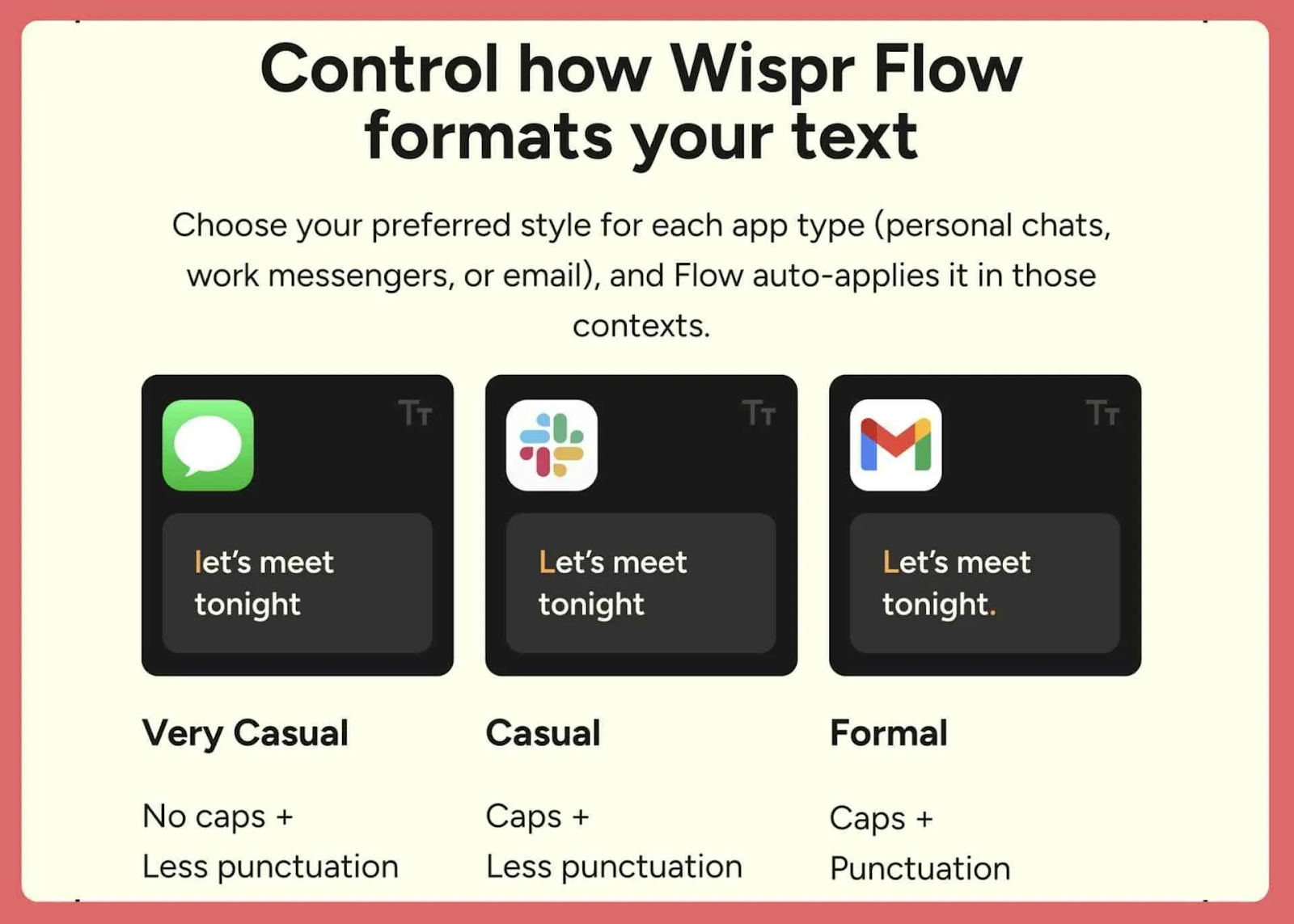
Here is how it works.
1️⃣ Install Once, Use Everywhere: Download Wispr Flow for Mac or Windows and sign in. Once installed, it runs system wide. There is no app switching and no special editor required.
2️⃣ Dictate Directly Into Any Field: Click into any text field on your computer. Hold the hotkey, speak naturally, then release to insert text instantly. On Mac, the default key is Fn. On Windows, it is Ctrl plus Win. The text appears exactly where your cursor is, whether you are writing an email, a document, or a message.
3️⃣ Match The Tone To Your Context: Dictation usually fails because it sounds robotic or mismatched. Flow solves this with style presets. Open Flow Hub, go to Style, pick a context like Personal, Work, or Email, and choose a vibe. Formal. Casual. Very casual. Excited. The system adapts punctuation and phrasing automatically.
4️⃣ Set It Once, Forget About It: Your chosen style applies everywhere you dictate on the desktop. You do not need to restate tone or rewrite after speaking. The output already fits how you normally write.
5️⃣ Reduce Friction Without Changing Habits: This is not about talking more. It is about thinking faster. When you can speak wherever you type, ideas move from head to screen with less resistance.
The Takeaway
Dictation stops feeling awkward when it adapts to your writing style instead of forcing you to adapt to it. With tools like Wispr Flow, voice becomes a universal input method. Less typing. Less friction. More momentum across everything you write.
As we prepare more "Growthful" content, we'd love to hear your thoughts on today's edition! Feel free to share this with someone who would appreciate it. 🥰