AI Works Better Like This
📈 Learn the science behind AI-powered creativity, then automate HR support with an AI employee.

Hey there 🧠
Ready for another day of staying ahead of the competition in the Growth race?
Oh and before we go ahead! If your friend sent this to you, be sure to subscribe here! So you don’t miss out on any editions.
In Partnership with AirOps
Your Buyers Asked AI. Did Your Brand Appear?
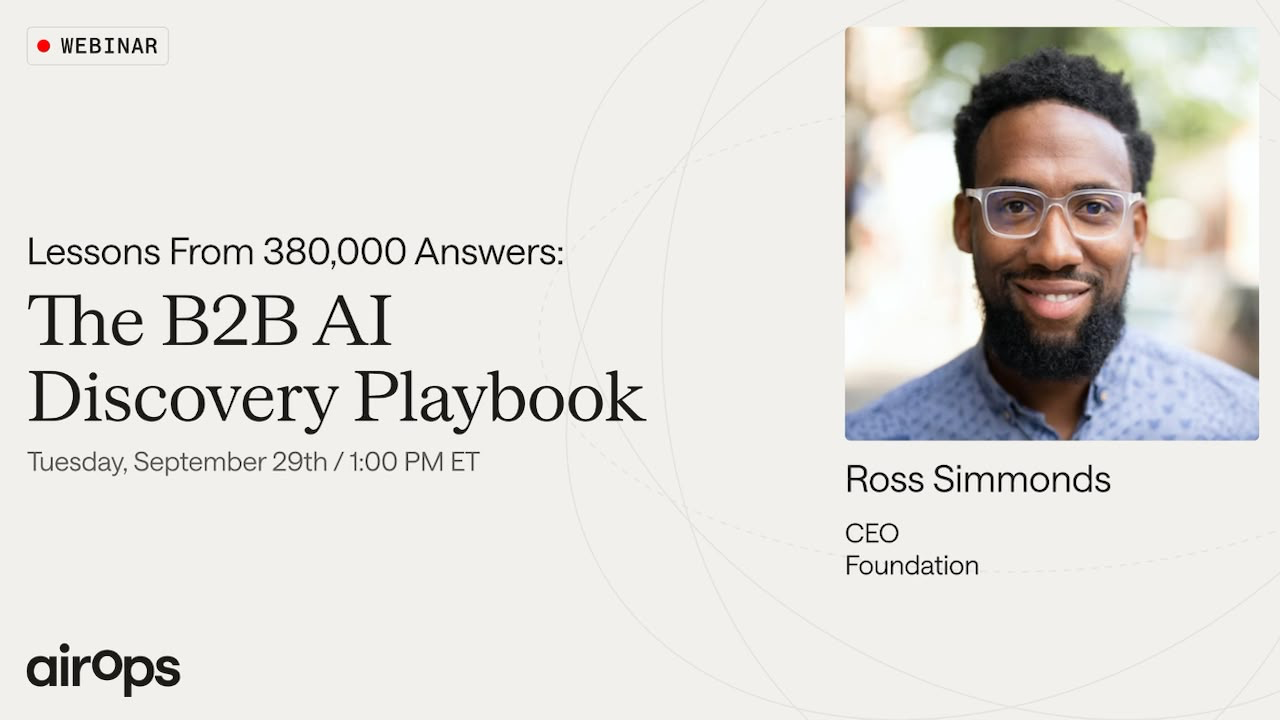
AI is already deciding which B2B tools reach your buyers’ shortlists. If your brand is missing from trusted sources, competitors can win consideration before sales enters the conversation.
On September 29, Foundation CEO Ross Simmonds and AirOps search marketing lead Josh Spilker will unpack research spanning nearly 380,000 AI answers, 3 million citation events, and 81 enterprise software topics.
You’ll walk away knowing how to:
- Build a platform-specific source map across six AI engines, showing where to earn visibility for the buying prompts that matter
- Turn the 84-of-100 dominance of comparison pages and listicles into a clear publishing plan for content AI platforms already cite
- Find and fix unfavorable comparisons before they spread across hundreds of answers and quietly steer buyers toward competitors.
You’ll leave knowing which prompts to track, which sources to prioritize, and where your team should invest first to influence AI-driven buying decisions.
Join live at 1 p.m. ET on September 29.
Can't attend the session live? Register anyway, and you’ll get the recordings in 24 hours.
💡 Use AI Differently Depending On How Mature Your Idea Is
AI can boost creativity.
But the best way to use it depends on how developed your idea already is.
Here’s what the research suggests.
1️⃣ Use Text For Mature Ideas When you already have a clear concept, ask AI to describe and refine it using text. Reading detailed descriptions encourages deeper thinking and helps improve existing ideas.
2️⃣ Use Images For Early Ideas If your concept is still vague, ask AI to visualize it with images. Seeing possibilities makes it easier to explore different directions before settling on one.
3️⃣ Match The Tool To The Stage Text encourages imagination and refinement. Images encourage exploration and idea generation. Switching between them at the right time leads to stronger creative outcomes.
4️⃣ Design Better Creative Workflows (VizualizeAI) Creative tools should guide users differently depending on whether they’re brainstorming or refining. Early-stage workflows benefit from visual exploration, while later stages benefit from detailed textual feedback.
5️⃣ Position AI As A Creative Partner Use AI to support human creativity, not replace it. Make the creative process collaborative so users see AI as part of the brainstorming process rather than the finished solution.
Why It Works
Images make ideas feel complete, reducing the desire to keep improving them. Text leaves room for imagination, encouraging people to refine and expand their thinking before reaching a final concept.
👀 Brand Example (VizualizeAI)
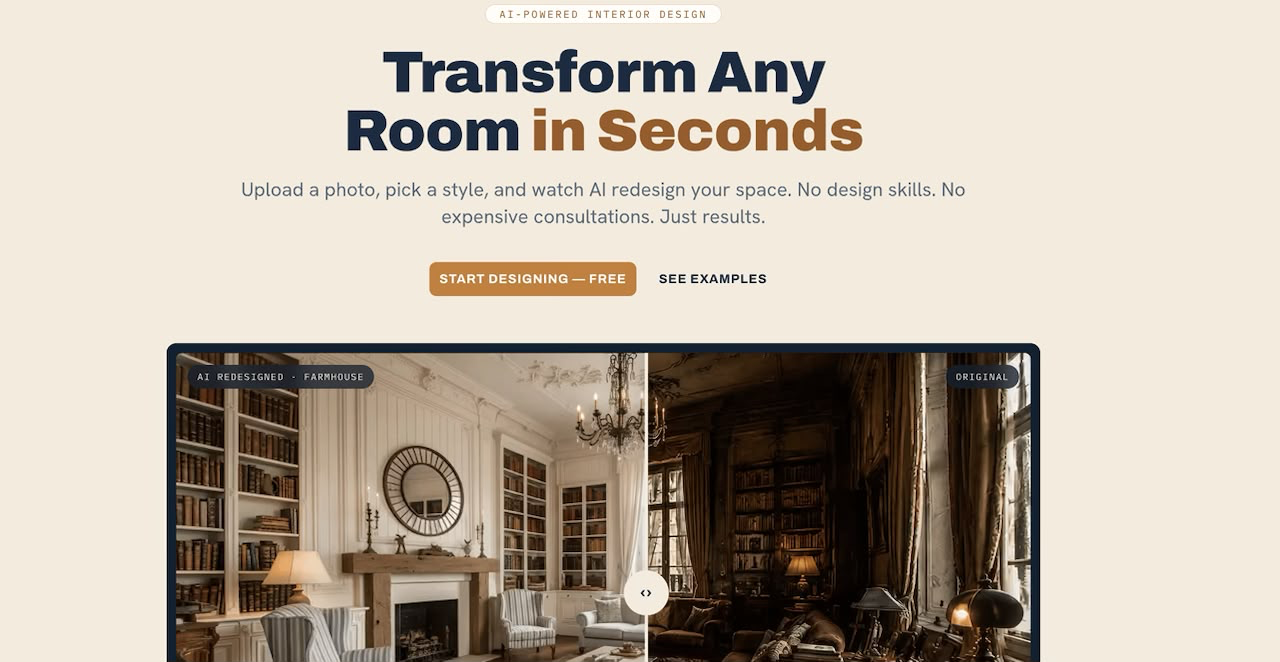
Instead of generating designs immediately, VizualizeAI could first ask clarifying questions and provide textual feedback. Once the concept is better defined, AI-generated visuals become much more valuable.
The Takeaway
The most creative AI workflow isn’t always visual. Start with images when exploring ideas, then switch to text when refining them. Matching the format to the stage produces stronger creative outcomes.
💡 How To Build An AI HR Assistant That Answers Employee Questions Instantly
HR teams spend countless hours answering the same questions.
An AI HR assistant can provide instant answers while allowing HR professionals to focus on more strategic work.
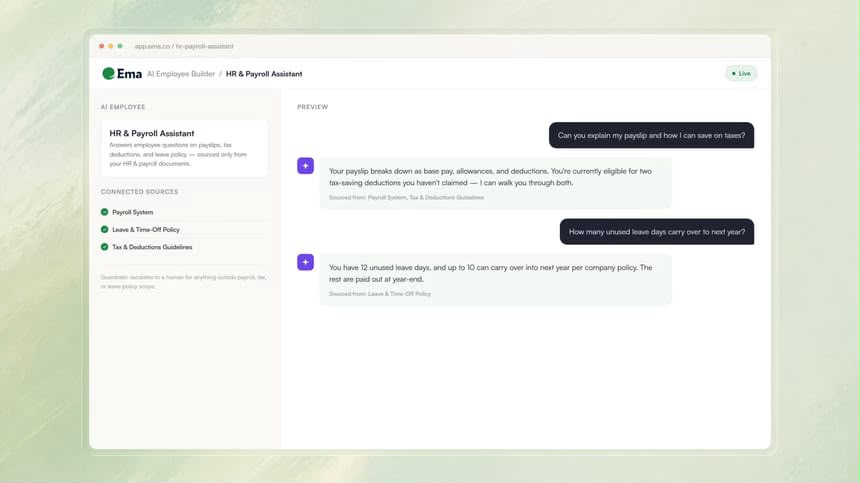
Here’s how to build one.
1️⃣ Create An AI Employee Log into Ema and click Build an AI Employee to start creating your HR assistant.
2️⃣ Define Its Role Describe exactly what the assistant should do in plain language.
Sample Prompt
Answer employee questions about payslips, tax deductions, and leave policy.
3️⃣ Connect Your HR Systems Link the assistant to your HR knowledge sources, including policy documents, payroll systems, leave trackers, and platforms such as Workday or SAP.
4️⃣ Test With Real Questions Ask realistic employee questions to verify the assistant provides accurate responses.
Sample Prompt
What is my leave policy in 2026?
5️⃣ Publish And Monitor Review the responses, ensure escalation paths are in place for questions outside the assistant’s scope, then publish it to your HR help desk or company intranet.
Why It Works
Most HR inquiries are repetitive. AI provides employees with immediate answers while reducing the administrative workload for HR teams and ensuring consistent responses.
The Takeaway
An AI HR assistant doesn’t replace your HR team. It handles routine questions instantly, allowing HR professionals to dedicate more time to employee engagement, compliance, and strategic initiatives.
As we prepare more "Growthful" content, we'd love to hear your thoughts on today's edition! Feel free to share this with someone who would appreciate it. 🥰